Workspace Manager
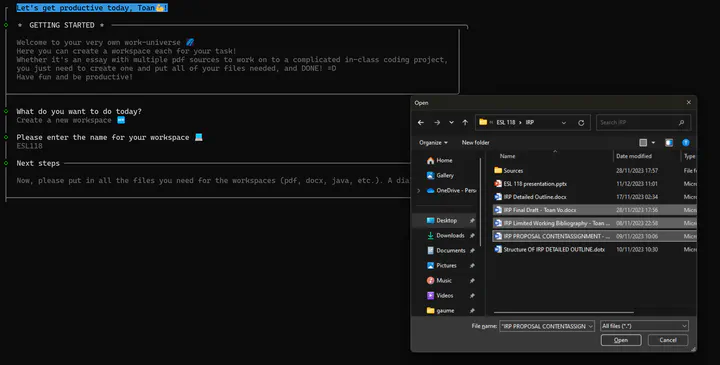
In this project, I worked with a team to develop Workspace Manager, a tool designed to streamline workflow by allowing users to create and manage custom workspaces. The goal of the application was to help users quickly launch all the necessary applications, files, and tools for specific tasks with just one click, whether it’s for a coding session, a design project, or content creation. This project was built using JavaScript and MongoDB as the backend database.
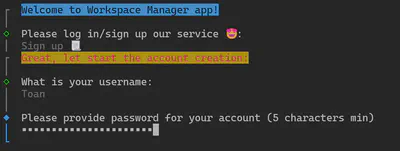
The application supports multiple users, each with the ability to create personalized workspaces. With password-encrypted accounts, it ensures secure access and keeps your workspace configurations private. Users can easily add and store multiple file paths and applications within each workspace, so everything you need for a particular task is just a single action away.
Behind the scenes, Workspace Manager relies on MongoDB to handle data storage efficiently. When a user sets up their custom workspace, the application saves all file paths, application preferences, and user settings in the MongoDB database. This database structure allows for quick retrieval of information, making it easy for the application to launch the desired tools and files together when prompted.
The back-end logic, built with JavaScript, manages these interactions by communicating with the database to fetch the necessary data and execute commands to open the applications. This ensures a smooth and secure experience, as the password-encrypted accounts are also managed through MongoDB, safeguarding user configurations and workspaces. The front-end interface, developed with ClackJS, provides a seamless user experience, handling user inputs and delivering responses quickly by leveraging the data stored in MongoDB. Together, these components work in harmony to offer a streamlined and efficient workspace setup process.
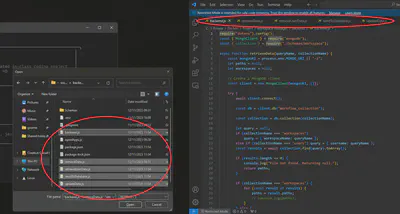
By consolidating the process of launching applications and files into a single action, Workspace Manager lets you dive right into your work, helping you maximize productivity and focus on what really matters. It’s an invaluable tool for anyone looking to enhance their workflow, reducing the setup time and allowing you to work more efficiently.